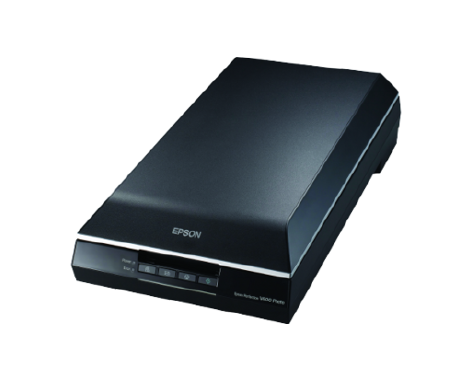


The Perfection V600 Photo offers astonishing scanning quality and versatility for your home or office.

Equipped with an optical resolution of 6400 x 9600 dpi and optical density of 3.4 Dmax, the V600 Photo delivers superb quality scans for photos, films, slides and everyday documents. Film can be enlarged with excellent tonal range, shadow detail, and 48-bit depth for exceptional colour and clarity.
The V600 Photo comes with a built-in Transparency Unit Film Holder that accommodates slides, negatives and medium format panoramic films of up to 6 x 22cm. It can also readily scan just about anything from documents to books, magazines and even 3D objects.
Save scanned images directly as searchable PDF (Windows only) or as multi-page PDF files.
The V600 Photo includes a suite of powerful, easy-to-use software for a total photo restoration solution.
LaserSoft SilverFast® SE: this professional scan and imaging software includes functions like dust and scratch reduction and noise elimination for professional results.
*Version 9 for Windows, version 8 for Mac OS X
Edit and enhance your photos professionally with this simple and powerful tool.
With Epson’s ReadyScan LED Technology, the V600 starts scanning instantly with no warm-up time required. Featuring a mercury-free LED light source, this eco-friendly scanner is low in heat dissipation and power consumption, giving you energy and cost savings.
The V600 Photo comes with four customisable buttons that let users instantly scan, copy, scan-to-email and create PDFs at a single touch.
It also features fully automatic scanning along with three additional modes for better control. The included OCR software ABBYY FineReader Sprint enables users to convert scanned documents into editable text.
With Epson ReadyScan LED Technology, scanning starts instantly with no warm-up time required. In addition, the technology is environmentally friendly as it is mercury free, low in heat dissipation and power consumption.
Results based on Epson internal testing conducted using US-equivalent 120V models.
For more information on Epson's environmental programme, visit http://global.epson.com/SR/environment.
*1 Optical resolution as defined by ISO14473.
*2 To use the USB port, consult the documentation provided with your PC for further information about USB connectivity. Please note that errors may occur if nonstandard cables or multiple hub connections are used.
*3 With interpolation. Scanning area may be restricted if resolution setting is large.
*4 Scanning speed is based on the PC specifications below and may vary according to system configuration, dpi setting and scan mode setting.